
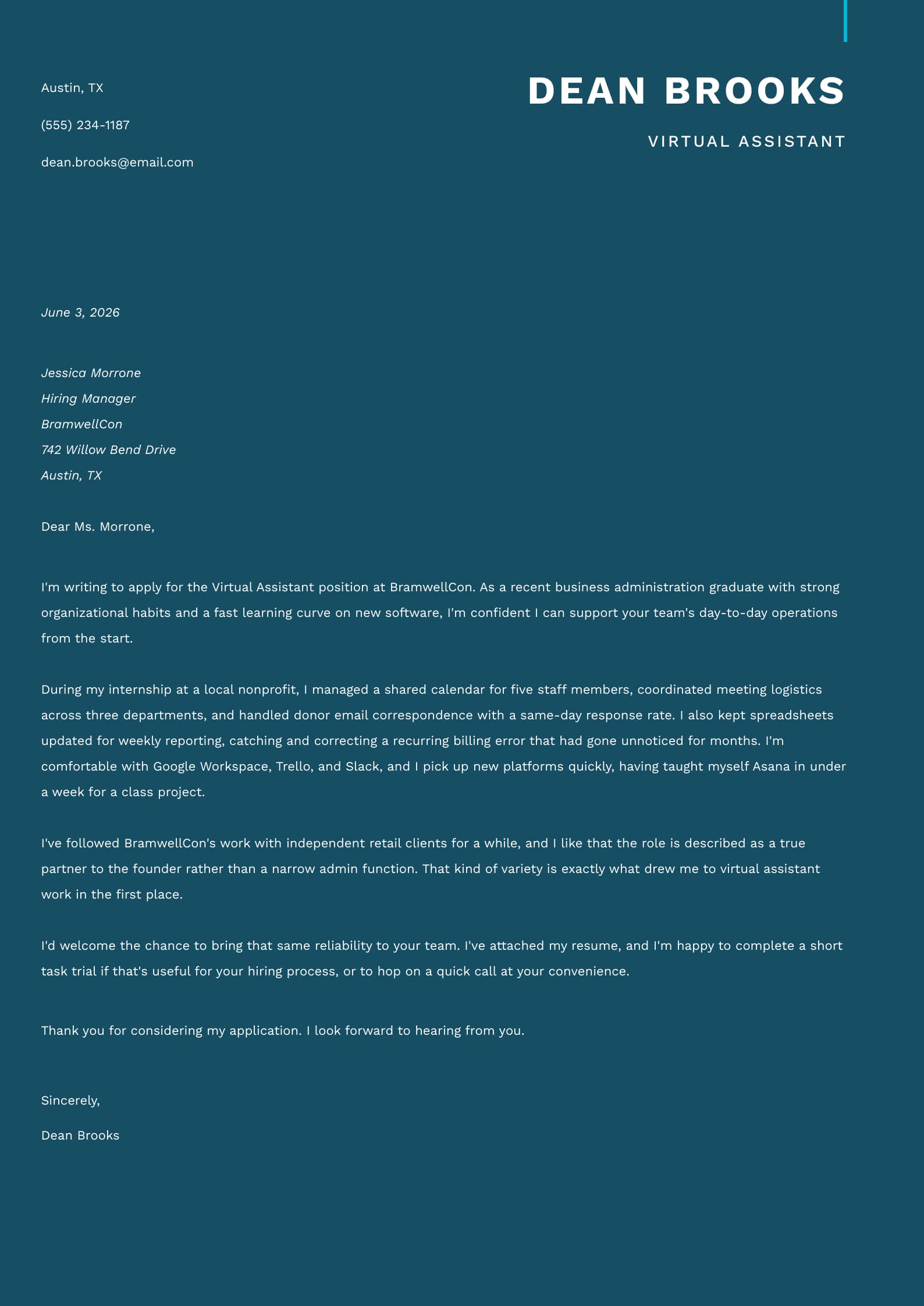
A virtual assistant cover letter is a concise introductory document that shows employers you have the organization, communication, and technical skills needed to manage tasks remotely. It should explain how your experience in similar roles can help the client or company operate more efficiently.
Because virtual assistant roles often involve handling several responsibilities with minimal supervision, the purpose of your cover letter is to emphasize reliability, attention to detail, and the ability to prioritize independently. So, in this guide, we help you stand out from candidates who rely on generic descriptions of their administrative experience and teach you how to write a letter that sells you as a serious candidate.
Key Takeaways
A well-written virtual assistant cover letter highlights your virtual assistant skills and qualifications, remote communication habits, and familiarity with the tools clients use.
Business letter formatting, a clean font, and a one-page length keep your letter professional and easy to skim.
Following a simple structure (heading, greeting, introduction, skills, motivation, call to action, and sign-off) covers everything employers expect.
Use real-life examples for both entry-level and experienced applicants to adapt the format to your own background.
You should pair your letter with a matching virtual assistant resume to complete your job application on a high note.
2 Professional Virtual Assistant Cover Letter Examples
Seeing a finished letter makes the format easier to copy. Below, we offer two cover letter examples that can be useful for both entry-level and senior candidates.
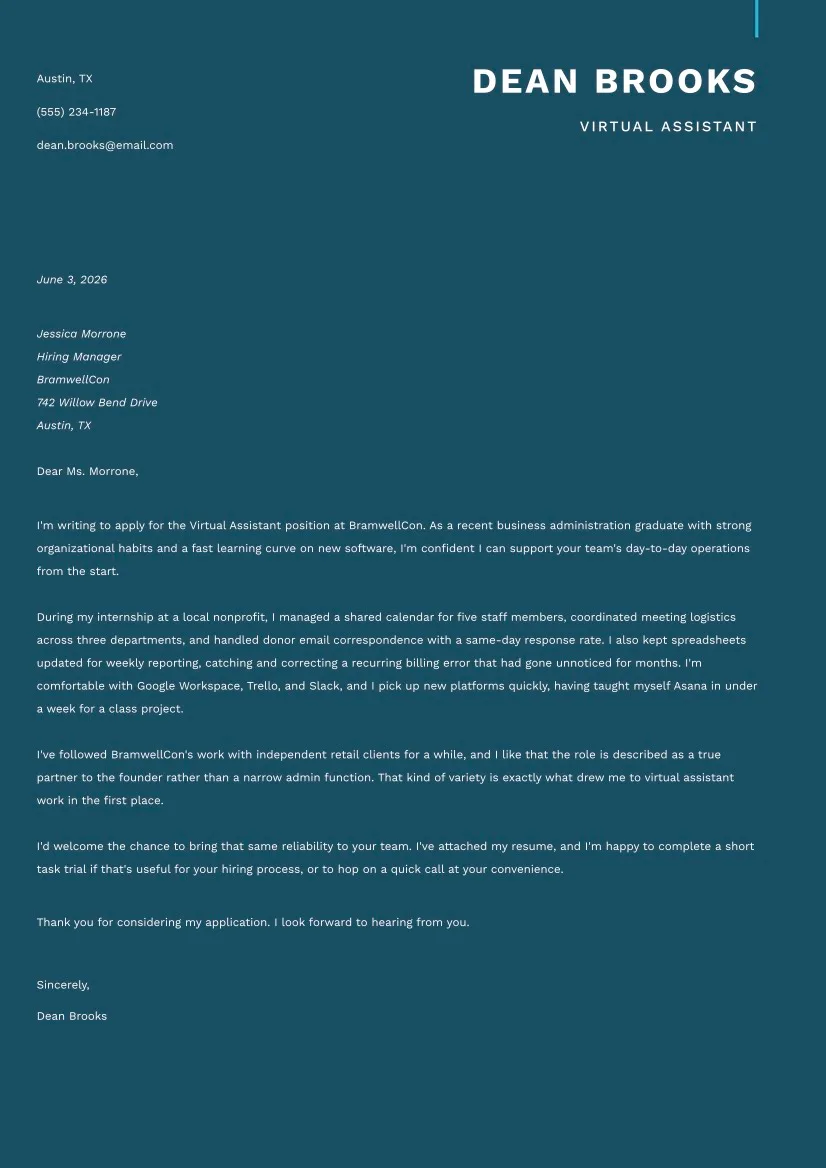
#1. Entry-Level Virtual Assistant Cover Letter Example
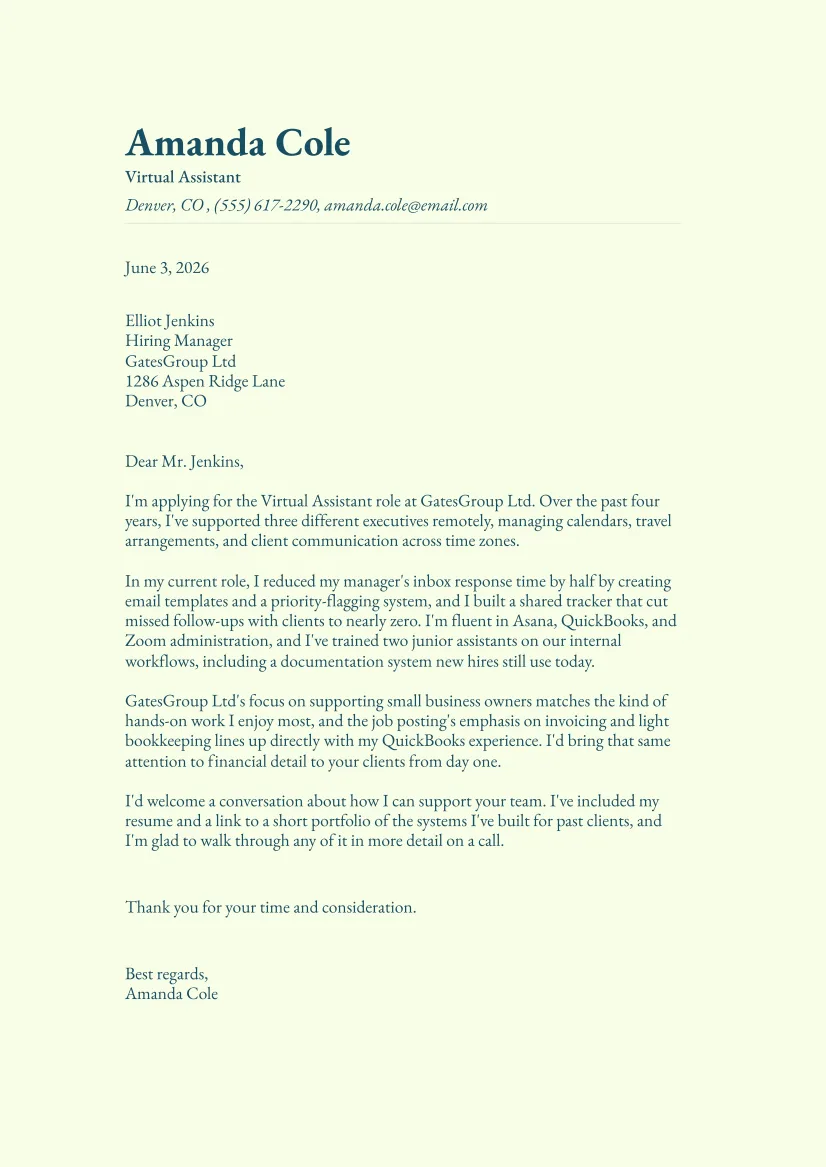
#2. Experienced Virtual Assistant Cover Letter Sample
How to Format Your Virtual Assistant Cover Letter
You should format your virtual assistant cover letter as a one-page business letter with a simple, easy-to-scan layout in this order:
Your contact information
Date
Employer’s contact details
Professional greeting
Three to four short paragraphs
Closing and signature
Once you have the basic structure in place, you need to focus on keeping the letter compact and visually balanced. When it comes to length, it should fit on one page and usually falls around 400 words, giving you enough space to explain your qualifications without overwhelming the reader.
Additionally, an 11- or 12-point formal cover letter font, paired with margins of 1 to 1.5 inches, will keep the text comfortable to read.
The rest of the layout should stay equally straightforward; it’s best to left-align the content and steer clear of columns, decorative elements, centered sections, or other design elements that interrupt the reading flow. A simple format not only helps recruiters find the most important information quickly but is also less likely to cause problems with applicant tracking systems.
When the letter is finished, it’s recommended to save it as a PDF unless the job posting specifies another file type, as this will preserve the layout across different devices. Before submitting it, do a final check for uneven spacing, inconsistent fonts, or alignment issues, since a polished presentation reflects the attention to detail expected from a virtual assistant.
How to Write a Virtual Assistant Cover Letter: Full Guide

To write a cover letter for a virtual assistant role, you should create the sections listed below. The same steps apply when crafting a personal assistant cover letter, since both roles share most of the same day-to-day tasks.
#1. Heading
Your cover letter header consists of:
Your name
Phone number
Email address
City and state
Date of writing
Employer's name and address
This information belongs at the top of the page, formatted the same way no matter if you're applying to a startup, an agency, or any other type of organization.
Leaving out the date or your contact details makes the letter look unfinished, even if the writing itself is good. Additionally, you should double-check that your email address sounds professional before you send anything out.
Cover Letter Header Example
Lauren Wilkinson (602) 555-0147 lauren.wilkinsonl@example.com Phoenix, AZ
July 22, 2026
Rebecca Collins Director of Operations HayWorth 415 Cedar Grove Avenue Portland, OR
#2. Greeting
To greet a person who reads your letter properly, you need to find their name and find out whether they’re the hiring manager, recruiter, or business owner. It’s best to check the job posting, the company website, or LinkedIn for this information rather than defaulting to a generic greeting.
If you can't track down a name, "Dear Hiring Manager" works in a pinch; make sure you steer clear of "To Whom It May Concern", as it reads as outdated and impersonal. Meanwhile, a personalized greeting shows you did your research, which matters for a role built on attention to detail.
Cover Letter Greeting Example
Dear Ms. Collins,
#3. Introduction
The first thing you need to do when introducing yourself is clearly state the exact position you're applying for and one or two skills that make you a fit. Naming the role directly tells the reader that this letter was written for them, rather than recycled from another application, within the first line.
This section should be short and neat, and it shouldn’t exceed two or three sentences. Refrain from restating your entire virtual assistant resume here, and definitely resist the urge to open with your life story or an unrelated personal anecdote.
Cover Letter Introduction Example
I am applying for the Virtual Assistant position at HayWorth, bringing three years of administrative experience and strong skills in calendar management, client communication, and digital organization. My background in supporting busy teams has prepared me to manage competing priorities accurately and with minimal supervision.
#4. Achievements and Skills
The next two paragraphs represent the core of your letter. Here, you list the specific virtual assistant skills and qualifications you bring, then explain how you implemented them.
This is a great opportunity to mention the platforms and software you use, as well as calendar tools, CRMs, invoicing software, and important employee performance metrics for this role. Also, if relevant to the role, briefly mention your approach to handling sensitive information.
VAs often access client accounts, financial records, and confidential communications, and employers value candidates who demonstrate discretion and awareness of data security practices.
Strong written communication carries extra weight here, since virtual assistants rarely meet clients face-to-face. Research on virtual collaboration has linked communication quality and responsive exchanges with stronger team performance, and it's one of the remote job skills worth naming outright in your letter.
Achievements & Skills Section Example
In my current administrative role, I coordinate schedules for four managers, organize internal documents, prepare weekly reports, and respond to client inquiries. I introduced a cloud-based filing system that reduced document search time by approximately 50% and created reusable email templates that helped the team respond to routine requests more efficiently.
I am comfortable working with Google Workspace, Microsoft Office, Slack, Zoom, Trello, Calendly, HubSpot, and QuickBooks. I also have experience scheduling social media posts, updating CRM records, processing invoices, conducting online research, and preparing meeting notes. Because much of my work is completed independently, I provide clear progress updates, flag issues early, and confirm priorities before deadlines become problems.
#5. Reasons for Applying
In this section, it’s recommended to elaborate on why you decided to apply for this specific role, so don’t be vague here. Your safest bet is to reference something concrete about the business, such as their industry, mission, recent achievements, or a detail from the job posting.
Remote administrative work has grown steadily as more businesses outsource day-to-day operations rather than hire in-house staff. Mentioning that you understand this shift and want to grow within it shows genuine interest and helps you position yourself better.
Reason for Applying Section Example
HayWorth interests me because the role combines administrative support with client coordination. Your focus on helping growing companies improve their daily operations matches the type of work I find most rewarding. I would value the opportunity to support your team by keeping schedules, records, and client communication organized as the company continues to expand.
#6. Call to Action
The final body paragraph should invite the reader to take the next step in the hiring process, e.g., an interview, a short trial task, or a portfolio evaluation.
A confident, specific call to action makes it easier for the employer to connect and picture actually working with you. It also implies that you're comfortable taking initiative, which is definitely a trait every client hiring remotely wants to see.
Call to Action Example
I would welcome the chance to discuss how my administrative experience and remote-work skills could support your team. I am also available to complete a short task trial and can provide professional references upon request.
#7. Conclusion & Sign-Off
Finally, thank the reader for their time in one short sentence, then close with a formal sign-off followed by your full name. If you know how to end a cover letter on a high note, you’ll know how to leave a stronger final impression than the introduction does, since it's the last thing the reader sees.
Skip anything overly casual, like "Cheers" or "Thanks so much!", even if the company culture seems relaxed. Save that tone for after you've been hired, once you know how the team actually communicates.
Conclusion & Sign-Off Example
Thank you for your time and consideration.
Best regards, Lauren Wilkinson
4 Tips for Writing a Virtual Assistant Cover Letter Worth Reading

A few small adjustments separate a forgettable letter from one that gets a response. Here are four cover letter tips to keep in mind:
Virtual Assistant Cover Letter Tips
Customize every letter for the job posting. Reusing the same virtual assistant cover letter template for every application is tempting, but recruiters notice overused language and cliches, especially when you don’t mention their company by name or the specific tasks listed in the posting.
Quantify your impact wherever possible. By doing this, you give hiring managers something concrete to remember about you, and your experience is much easier to compare against other applicants in a good way.
Double-check everything you wrote. Writing mistakes are rather damaging for administrative roles, since attention to detail is the whole job. Reading aloud also catches awkward phrasing spell-check misses, and it's a fast way to confirm your sentences sound natural rather than stiff or overly formal.
Avoid the most common cover letter mistakes. These include restating your resume word for word, using a generic greeting, or writing more than one page. Each one is an easy fix once you know to look for it, and by cutting them, you make room for the details that actually set you apart.
Applying for a VA position?
Try Resume.co’s cover letter builder.Final Thoughts
All in all, a virtual assistant cover letter should make clear that you can be trusted to keep work organized, communication consistent, and daily tasks moving without constant supervision. The best one will do this by combining a solid structure with examples, relevant tools, and a good reason for applying to that particular role.
When every paragraph supports your value as a reliable remote professional, your cover letter becomes more than a formality and turns into proof that you understand what the job requires and are ready to handle it.
Virtual Assistant Cover Letter FAQs
#1. How long should a virtual assistant cover letter be?
A virtual assistant cover letter should be one page long. You shouldn’t overdo it here; what matters is to cover the basics: your skills, one or two achievements you deem important, and your motivation for applying without repeating your resume.
#2. Can I write a virtual assistant cover letter with no experience?
Yes, you can write a virtual assistant cover letter with no experience; all you should do is lean on transferable skills instead of job history. You can also highlight coursework, volunteer work, internships, or personal projects that show organization, communication, and comfort with common office software.
#3. What's the difference between a virtual assistant and a personal assistant cover letter?
A personal assistant cover letter typically emphasizes supporting one individual's schedule, errands, and personal logistics. A virtual assistant cover letter usually highlights broader remote administrative skills, client communication, and familiarity with digital tools.